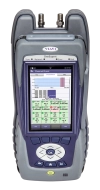
The OneExpert CATV signal analysis meter platform makes every technician an expert by verifying network performance and making troubleshooting simpler, faster, and more powerful than ever.
Self-Paced Online Training
Course Number
TT-ONX630-FWRRVRSSWP-SP
This course presents an overview of the Forward Sweep and Reverse Sweep tests on the ONX-630. Learn how to configure parameters for the test, set a reference, and locate, analyze and send test results to StrataSync.
Course Duration
16 minutes
Course Location
Global
Course Language
English
Other languages available upon request
Course Type (Delivery Method)
Self-Paced Online Training
Course Number
TT-ONX630-INGRES-SP
This course presents an overview of how to analyze Ingress and Noise results on the ONX-630. Learn about the benefits of real-time analysis compared to scanning analysis.
Course Duration
11 minutes
Course Location
Global
Course Language
English
Other languages available upon request
Course Type (Delivery Method)
Self-Paced Online Training
Course Number
TT-ONXCATV-CHANCHK-SP
This course presents an overview of how to use the ONX CATV Channel Check Application for automated testing operation. Learn how to locate, examine, and analyze various test results.
Course Duration
18 minutes
Course Location
Global
Course Language
English
Other languages available upon request
Course Type (Delivery Method)
Self-Paced Online Training
Course Number
TT-ONXCATV-ETHSPD-SP
This course presents an overview of how to perform the automated Ethernet Speed test with the ONX CATV meter. Learn how to configure and run the test and how to locate and analyze test results.
Course Duration
16 minutes
Course Location
Global
Course Language
English
Other languages available upon request
Course Type (Delivery Method)
Self-Paced Online Training
Course Number
TT-ONXCATV-FRMWR-SP
This course presents an overview of how to upgrade the Firmware of the ONX CATV products. Learn how to locate the serial number, MAC address, and unit ID.
Course Duration
27 minutes
Course Location
Global
Course Language
English
Other languages available upon request
Course Type (Delivery Method)
Self-Paced Online Training
Course Number
TT-ONXCATV-ONECHK-SP
This course presents an overview of how to use the ONX CATV OneCheck Application for automated testing operation. Learn how to locate, examine, and analyze various test results.
Course Duration
26 minutes
Course Location
Global
Course Language
English
Other languages available upon request
Course Type (Delivery Method)
Self-Paced Online Training
Course Number
TT-ONXCATV-OVRVW-SP
This course presents an overview of the ONX CATV Product family. Learn about the key features and capabilities and how to navigate the GUI and menus.
Course Duration
21 minutes
Course Location
Global
Course Language
English
Other languages available upon request
Course Type (Delivery Method)
Self-Paced Online Training
Course Number
TT-ONXCATV-RCiOS-SP
This course presents an overview of remote control operations using the iOS application with the ONX CATV. Learn how to launch remote control, enable Bluetooth, install the iOS application, and pair an iOS device to the ONX CATV.
Course Duration
13 minutes
Course Location
Global
Course Language
English
Other languages available upon request
Course Type (Delivery Method)
Self-Paced Online Training
Course Number
TT-ONXCATV-STRATASYNC-SP
This course presents an overview of how to synchronize the ONX CATV unit to StrataSync. Learn how to connect via wireless radio frequency (RF) or Ethernet connections.
Course Duration
11 minutes
Course Location
Global
Course Language
English
Other languages available upon request
Course Type (Delivery Method)
Self-Paced Online Training
Course Number
TT-ONXCATV-TESTPREP-SP
This course presents an overview of the settings that should be confirmed and adjusted as necessary before running a test with the ONX CATV unit. Learn about key parameters located in the Settings menu and the Tray menu.
Course Duration
21 minutes
Course Location
Global
Course Language
English
Other languages available upon request
Course Type (Delivery Method)
Self-Paced Online Training
Course Number
TT-ONXCATV-USER-SP
This course presents an overview of the ONX CATV system settings menu. Learn how to configure user preferences and how to use the file browser application.
Course Duration
26 minutes
Course Location
Global
Course Language
English
Other languages available upon request
Course Type (Delivery Method)
Self-Paced Online Training
Course Number
TT-ONXCATV-WiFiAP-SP
This course presents an overview of how to use the ONX CATV test set as a WiFi access point (AP). Learn how to activate the WiFi access point feature and how to set up and prepare the ONX CATV unit for use as a WiFi AP.
Course Duration
12 minutes
Course Location
Global
Course Language
English
Other languages available upon request
Course Type (Delivery Method)
Self-Paced Online Training
Course Number
TT-ONXCATV-WiFiSCAN-SP
This course presents an overview of how to use the ONX CATV test set as a WiFi access point (AP). Learn how to activate the WiFi access point feature and how to set up and prepare the ONX CATV unit for use as a WiFi AP.